
By hitmind.ai | Published 2026-10-14 | Updated 2026-10-14
When engineering teams and search strategists set out to track Claude bot user agent hit frequency, Cloudflare provides two indispensable architectural routes: AI Crawl Control for aggregate request trends, and real-time HTTP request logs via Logpush or Logflare for granular, page-level pipeline analytics. However, tracking raw volumes without structural rigor leads to costly mistakes. The most common pitfall is lumping every single Anthropic request into a single dashboard metric. Claude does not operate as a monolithic scraper. Instead, Anthropic uses distinct bots for distinct operational functions, ranging from offline model pre-training to real-time, user-prompted web retrieval.
According to Cloudflare’s official documentation on analyzing AI traffic, measuring web crawlers requires evaluating both edge performance metrics and programmatic query layers. (developers.cloudflare.com) The fundamental question technical teams must answer is not merely “How often does Claude visit our edge servers?” Rather, the real question is: “Which intended inventory pages received successful status codes, from which specific Anthropic crawler, how consistently across rolling windows, and under what verification certainty?”
This comprehensive technical guide outlines an end-to-end framework—combining identity verification, telemetry extraction, coverage modeling, and data pipelines—to accurately track Claude bot user agent hit frequency Cloudflare infrastructure processes every day.
Which Claude User Agents Should You Track and Isolate?
To accurately track Claude bot user agent hit frequency, Cloudflare users must first break down Anthropic’s web agents into three distinct categories. Combining these user-agent tokens blinds your analytics to the root cause of traffic spikes. Anthropic actively operates three separate crawler tokens, documented thoroughly in their web crawler documentation. (support.anthropic.com)
Each bot serves an entirely different tier of Anthropic’s ecosystem:
| User-Agent Token | Official Operational Role | Request Trigger | Suggested Internal Reporting Label |
|---|---|---|---|
ClaudeBot |
Broad web indexing for foundational model pre-training and alignment datasets | Scheduled asynchronous batch crawls | Anthropic Training Crawler |
Claude-SearchBot |
Content discovery and indexing to serve generative search indexing and reference validation | Index refresh runs for retrieval pipelines | Anthropic Search Crawler |
Claude-User |
Real-time on-demand page retrieval triggered by an end user in Claude.ai or the API | Synchronous live user interaction prompt | Anthropic User-Triggered Fetch |
Isolating String Patterns and Preventing False Identity Matches
When configuring Edge Workers, WAF custom rules, or parsing regular expressions, match against the core token substring rather than asserting an exact string equality. Modern HTTP client strings frequently evolve. For example, a live request might read:
Mozilla/5.0 (compatible; ClaudeBot/1.0; +claudebot@anthropic.com)
or alternate versions carrying specific runtime parameters. If your parsing logic checks for http.user_agent eq "ClaudeBot", you will record zero hits. Always apply substring matching or case-insensitive regex pattern detection such as (?i)ClaudeBot, (?i)Claude-SearchBot, and (?i)Claude-User.
The Spoofing Challenge: User-Agent Claim vs. Cryptographic Verification
A raw User-Agent header is unauthenticated metadata submitted by an HTTP client. Any script, commercial proxy network, or malicious scraper can send User-Agent: ClaudeBot/1.0. If you rely strictly on header matching, you risk skewing your crawl analytics with commodity scraping traffic masquerading as Anthropic.
Cloudflare’s AI Crawl Control architecture addresses this issue directly. Cloudflare categorizes bots using autonomous system numbers (ASNs), reverse DNS (rDNS), machine learning behavioral fingerprinting, and verified bot IP registries. (developers.cloudflare.com)
In your logging schema, you must establish two distinct classification columns:
reported_agent_type: Determined purely by string matching the inboundUser-Agentheader (ClaudeBot,Claude-SearchBot,Claude-User, orOther).verification_status: Determined by Cloudflare’s internal bot engine (VerifiedBot,SpoofedBot, orUnverified).
Within Cloudflare Logpush, inspect the field BotManagementStatus or SecurityAction. If an IP sends a ClaudeBot header from a hosting provider ASN outside Anthropic’s verified IP ranges, and fails reverse lookup (*.anthropic.com), flag that row as spoofed_unverified and remove it from your official crawl coverage baselines.

Step-by-Step: How to Check Claude Crawl Frequency in the Cloudflare Dashboard
Before building an automated data warehouse extraction pipeline, establish an empirical baseline using the Cloudflare Dashboard. Cloudflare’s native AI Crawl Control portal provides immediate visibility into crawler volumes, HTTP status code distributions, and targeted path patterns. (developers.cloudflare.com)
Step 1: Verify Proxy Status and Edge Encryption
Ensure that the DNS records for the hostnames you wish to analyze (e.g., www.example.com, docs.example.com) have proxying enabled (orange-clouded) in your Cloudflare DNS zone settings. Traffic bypassing the Cloudflare proxy directly to your origin origin servers will not register in AI Crawl Control or HTTP edge logs.
Step 2: Navigate to AI Crawl Control
- Log into your Cloudflare Dashboard and select the primary domain account.
- In the left navigation sidebar, navigate to Security > AI Crawl Control (or under Analytics & Logs > AI Crawl Control, depending on account tier).
- The interface defaults to an overview of all detected AI crawlers (including GPTBot, PerplexityBot, ByteSpider, and Anthropic).
Step 3: Segment by Specific Anthropic Agents
Do not review the aggregated "Anthropic" group. Use the crawler filter dropdown to isolate ClaudeBot. Once evaluated, reset the filter and repeat the process sequentially for Claude-SearchBot and Claude-User.
Step 4: Configure Temporal Windows and Subdomain Isolation
Select a consistent evaluation window (e.g., Previous 24 Hours or Previous 7 Days). If your ecosystem spans multiple environments (such as an API subdomain, a documentation hub, and a headless marketing site), filter strictly by individual ClientRequestHTTPHost. A sudden burst of 45,000 requests hitting an un-cached staging subdomain or an open API path will completely distort your core marketing crawl calculations if analyzed at the root-zone level.
Step 5: Contrast "All Requests" Against "Allowed Requests"
Examine the discrepancy between the All requests counter and the Allowed requests counter. Cloudflare explicitly defines allowed requests as HTTP responses terminating in status codes 200 through 299. (developers.cloudflare.com)
- If All requests reads
12,400and Allowed requests reads11,800, Anthropic is successfully retrieving your content. - If All requests reads
45,000but Allowed requests reads1,200, you are observing an anomaly: Claude is hitting rate-limit barriers (HTTP 429), encountering origin errors (HTTP 500/502/504), receiving access denies (HTTP 403), or getting trapped in redirect loops (HTTP 301/302).
Step 6: Export Empirical CSV Telemetry
Download the filtered CSV logs directly from the dashboard interface. These exports capture top URL paths, geographical origins, and status distributions, providing a reference dataset against which to validate your programmatic automated pipelines. Note that free-tier dashboard views typically display trailing 24-hour windows; enterprise and business tiers provide up to 30 days of retention. (developers.cloudflare.com)
To understand how other generative AI search systems digest content differently from training scrapers, compare these Claude footprints with our in-depth analysis on understanding how SearchGPT crawls dynamic JavaScript web applications.
How to Automate Request-Frequency Reporting with GraphQL and Logpush
Manual dashboard inspection does not scale across large enterprise catalogs. To track Claude bot user agent hit frequency Cloudflare surfaces programmatically, you should deploy automated aggregation scripts using Cloudflare’s GraphQL Analytics API and stream detailed, row-level log events via Cloudflare Logpush.
Programmatic Aggregations with GraphQL Analytics API
Cloudflare’s GraphQL API exposes the httpRequestsAdaptiveGroups node, enabling sub-minute aggregations of crawler activity. When configuring automated cron jobs to query this endpoint, always include the parameter requestSource: "eyeball". This parameter strips out internal Cloudflare subrequests, edge worker invocations, and health-check pings, ensuring you measure genuine external requests. (developers.cloudflare.com)
The following production GraphQL query extracts hourly hit frequencies, segmented by user agent, edge response status, and requested hostname over a 24-hour UTC window:
query TrackClaudeBotFrequency($zoneTag: String!, $startTime: String!, $endTime: String!) {
  viewer {
    zones(filter: { zoneTag: $zoneTag }) {
      httpRequestsAdaptiveGroups(
        limit: 10000
        filter: {
          datetime_geq: $startTime
          datetime_lt: $endTime
          requestSource: "eyeball"
          userAgent_like: "%Claude%"
        }
      ) {
        count
        sum {
          edgeResponseBytes
        }
        dimensions {
          datetimeHour
          clientRequestHTTPHost
          clientRequestUserAgent
          edgeResponseStatus
        }
      }
    }
  }
}
Executing the Automation Script via cURL and Node.js
You can trigger this query via a serverless worker or local monitoring service using standard authorization headers:
curl -X POST https://api.cloudflare.com/client/v4/graphql \
  -H "Authorization: Bearer YOUR_CLOUDFLARE_API_TOKEN" \
  -H "Content-Type: application/json" \
  --data '{
    "query": "query TrackClaudeBotFrequency { viewer { zones(filter: {zoneTag: \"01a2b3c4d5e6f7a8b9c0d1e2f3a4b5c6\"}) { httpRequestsAdaptiveGroups(limit: 5000, filter: {datetime_geq: \"2026-10-13T00:00:00Z\", datetime_lt: \"2026-10-14T00:00:00Z\", requestSource: \"eyeball\", userAgent_like: \"%ClaudeBot%\"}) { count dimensions { datetimeHour edgeResponseStatus clientRequestHTTPHost clientRequestPath } } } } }"
  }'
Note on Adaptive Sampling: The GraphQL httpRequestsAdaptiveGroups engine applies adaptive sampling on zones with heavy traffic volumes. While aggregate trends are statistically representative, they do not serve as an immutable billing ledger. (developers.cloudflare.com) If you require 100% unsampled request telemetry, use Logpush.
Streaming Granular Request-Level Logs via Cloudflare Logpush
For deterministic data pipelines, configure Cloudflare Logpush to stream raw NDJSON batches directly to AWS S3, Google Cloud Storage, Datadog, or Snowflake. (developers.cloudflare.com)
Essential Logpush Field Schema
Ensure your Logpush configuration includes these explicit fields:
EdgeStartTimestamp: Nanosecond UTC timestamp of request ingress.RayID: Globally unique request identifier (used to deduplicate retry attempts).ClientIP: IPv4 or IPv6 address of the crawler node.ClientRequestHost: Hostname targeted by the bot.ClientRequestPath: URL path stripped of origin domain.ClientRequestQuery: Tracking and state parameters appended to the query string.ClientRequestUserAgent: Raw string header.EdgeResponseStatus: The final HTTP status returned to Claude (e.g., 200, 304, 403, 429).EdgeResponseBytes: Size of content delivered to the bot.BotScore: Cloudflare internal heuristic score (1 = definitely automated bot, 99 = human).BotTags: Identifies verified enterprise crawlers (e.g.,verified_bot).
SQL Transformation Pipeline (DuckDB / BigQuery Example)
Once your Logpush pipeline delivers hourly JSON files to cloud storage, process the raw requests into structured crawler metrics using this transformation query:
SELECT
  DATE_TRUNC(TIMESTAMP_MICROS(DIV(EdgeStartTimestamp, 1000)), HOUR) AS event_hour_utc,
  CASE
    WHEN ClientRequestUserAgent LIKE '%Claude-User%' THEN 'Claude-User'
    WHEN ClientRequestUserAgent LIKE '%Claude-SearchBot%' THEN 'Claude-SearchBot'
    WHEN ClientRequestUserAgent LIKE '%ClaudeBot%' THEN 'ClaudeBot'
    ELSE 'Unknown-Anthropic'
  END AS bot_persona,
  ClientRequestHost AS hostname,
  ClientRequestPath AS path,
  EdgeResponseStatus AS http_status,
  COUNT(1) AS raw_hit_frequency,
  SUM(CASE WHEN EdgeResponseStatus BETWEEN 200 AND 299 THEN 1 ELSE 0 END) AS successful_hits,
  COUNT(DISTINCT RayID) AS unique_ray_ids
FROM
  `your_project.cloudflare_logs.http_requests_*`
WHERE
  ClientRequestUserAgent LIKE '%Claude%'
  AND _TABLE_SUFFIX BETWEEN '20261001' AND '20261014'
GROUP BY 1, 2, 3, 4, 5
ORDER BY event_hour_utc DESC;
What Metrics Truly Reveal Useful Crawling vs. Redundant Hits?
A high volume of bot requests does not necessarily correlate with broad content coverage. Often, an aggressive crawler gets stuck fetching endless pagination strings, asset files, or error-generating parameters. To build actionable reports, teams tracking AI bots must separate volume metrics from coverage and crawl-budget metrics.
The Frequency–Coverage–Access Mathematical Framework
To turn raw log events into actionable engineering insights, construct your metrics around a known, curated index: the Catalog Target Inventory ($I_{target}$). This inventory consists solely of canonical, public, index-worthy URLs (e.g., marketing pages, blog articles, product catalogs, technical documentation) while excluding non-canonical pagination, internal search results, API routes, CSS, and JS assets.
| Analytical Metric | Formal Formula | Operational Definition | Engineering Decision Supported |
|---|---|---|---|
| Raw Hit Frequency ($F_{raw}$) | $\frac{\sum \text{Hits}}{\Delta \text{Days}}$ | Total volume of detected bot requests per complete calendar day. | Identifies sudden anomalies, edge capacity limits, and crawl bursts. |
| Successful Coverage ($C_{succ}$) | $\frac{\left | I_{target} \cap U_{2xx} \right | }{\left |
| Crawl Waste Ratio ($R_{waste}$) | $\frac{\sum \text{Hits}{\text{non-}I{target}} + \sum \text{Hits}{\ge 400}}{\sum \text{Hits}{total}} \times 100$ | Proportion of crawl hits spent on 4xx/5xx errors or non-inventory parameters. | Indicates if edge rules or robots.txt directives are needed to prune crawl spend. |
| Repeat Crawl Intensity ($I_{repeat}$) | $\frac{\sum \text{Hits}{2xx \text{ on }} I{target}}{\left | I_{target} \cap U_{2xx} \right | }$ |
Practical Scenario: Why Fewer Requests Often Mean Better Crawl Coverage
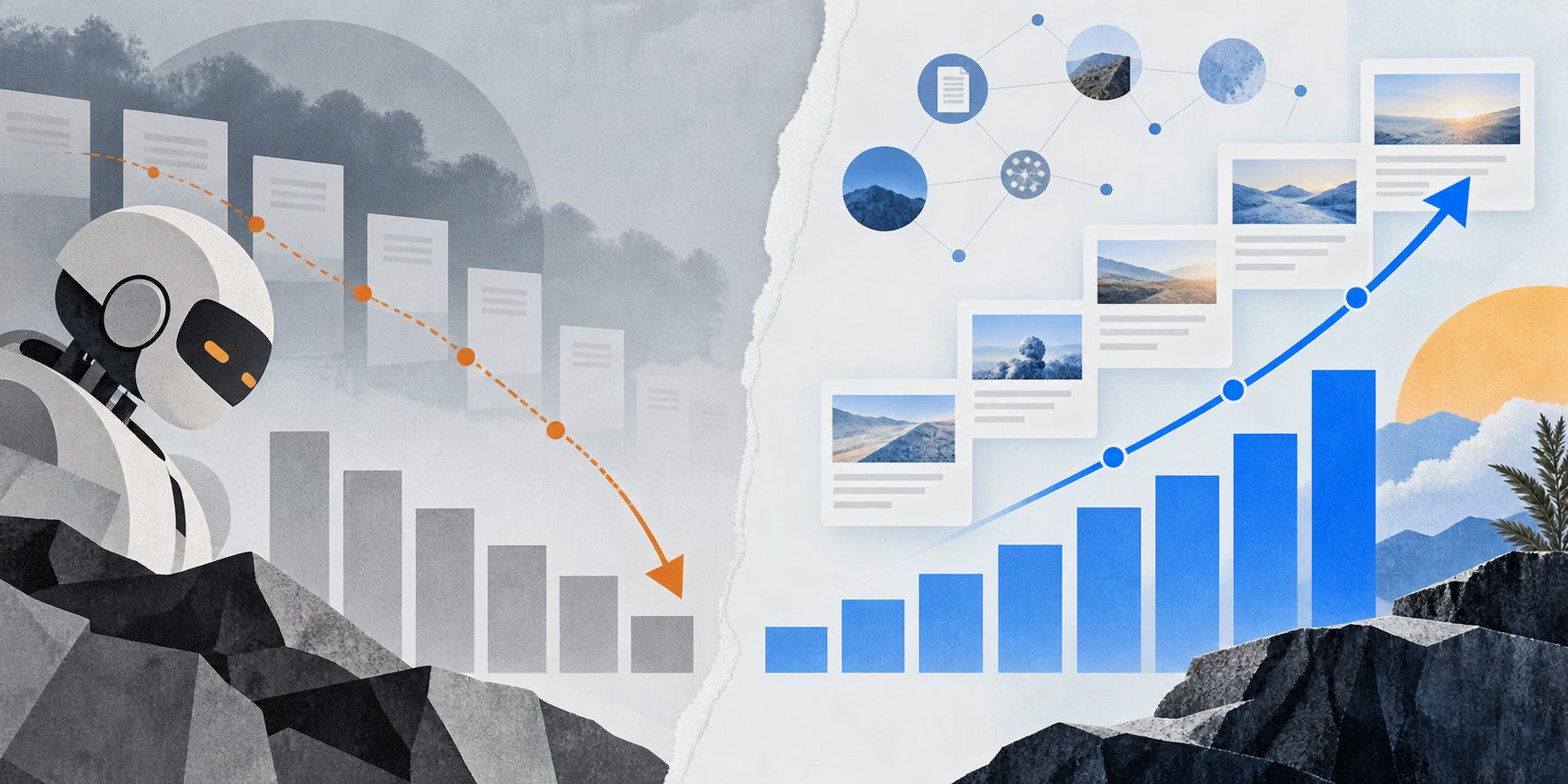
To understand why raw hit frequency is an incomplete indicator, consider the following empirical scenario comparing two distinct seven-day crawl periods across a fixed inventory of 1,000 canonical publication pages:
[Window A: High Volume, Low Coverage]
7,000 Total Hits ──> [Edge Processing] ──> 50 Unique Pages Visited (140 hits/page)
Status Breakdown: 40% 200 OK | 60% Redirects & Infinite Query Parameters
Result: Severe crawler trap, high infrastructure cost, low content ingestion.

[Window B: Low Volume, High Coverage]
2,100 Total Hits ──> [Edge Processing] ──> 700 Unique Pages Visited (3 hits/page)
Status Breakdown: 98% 200 OK | 2% 404 Handled
Result: Highly efficient indexing, low server overhead, deep catalog discovery.
In Window A, a poorly configured filtering rule on an ecommerce facet path forced ClaudeBot to request 7,000 URLs, but only 50 true target pages were ever indexed ($C_{succ} = 5.0%$, with an unproductive $I_{repeat}$ of 140.0).
In Window B, after applying edge canonical parameters and tuning caching rules via Cloudflare Ruleset Engine, total hits dropped by 70% down to 2,100. However, the crawler visited 700 unique catalog URLs ($C_{succ} = 70.0%$, with an efficient $I_{repeat}$ of 3.0).
Measuring raw hits alone would suggest crawler interest plummeted by 70%, when in reality catalog discovery expanded by 1,400%.
For deeper analysis on how modern indexing systems handle deep catalogs, review our companion playbook on reverse engineering perplexity AI search crawler indexing mechanisms.
Why Crawling Must Not Be Confused with Citations: Connecting Crawl Logs to GEO Outcomes
A critical mistake in Generative Engine Optimization (GEO) reporting is treating crawl frequency as proof of model citations. It is vital to separate bot requests from downstream AI visibility.
+-----------------------------------------------------------------------------------+
|                        THE THREE-LAYER AI VISIBILITY STACK                        |
+-----------------------------------------------------------------------------------+
|  1. ACCESS LAYER (Cloudflare Edge Logs)                                           |
|     * Did ClaudeBot, Claude-SearchBot, or Claude-User fetch the URL?              |
|     * HTTP status code (200 vs 403/429/500), payload size, latency.              |
+-----------------------------------------------------------------------------------+
                                         │ (Necessary, but NOT sufficient)
                                         ▼
+-----------------------------------------------------------------------------------+
|  2. RETRIEVAL & INDEXING LAYER (Model Synthesis Engine)                           |
|     * Did Anthropic parse the DOM, store the chunks, and index vectors?           |
|     * Is the content eligible for dynamic RAG retrieval in Claude Sonnet/Opus?    |
+-----------------------------------------------------------------------------------+
                                         │ (Model makes generative decision)
                                         ▼
+-----------------------------------------------------------------------------------+
|  3. ANSWER CITATION & CONVERSION LAYER (Observed Outputs & Web Referrals)         |
|     * Does an end user prompt trigger a verified footnoted link to the URL?       |
|     * Does the user click through, creating a referral visit and downstream lead?|
+-----------------------------------------------------------------------------------+
1. ClaudeBot Traffic $\neq$ Immediate Training or Citations
When ClaudeBot visits a page, it simply collects training data. There is no real-time conversational interface connected to this crawler. The fetched text may be cleaned, deduplicated, or discarded entirely before weights update during future training runs months later.
2. Claude-SearchBot Traffic $\neq$ Guaranteed RAG Retrieval
When Claude-SearchBot fetches a page, it indexes content into Anthropic’s search index. However, whether that URL appears in answer citations depends on query relevance, semantic authority, and citation scoring algorithms. To properly benchmark competitive positioning in AI answers, consult our systematic guide on benchmarking GEO visibility against competitors.
3. Claude-User Reflects User Intent
Claude-User requests are triggered when an end user pastes a link into Claude or runs a prompt that directs Claude to browse the live web. Spikes in Claude-User hits indicate immediate end-user interest in your brand, documentation, or pricing tables.
Constructing an Attribution Pipeline
Rather than guessing causality, unite these datasets by building a cross-platform data pipeline with three clean operational schemas:
- Edge Telemetry Table (Access Data): Record daily hits, successful 2xx coverage ratios, and bot personas parsed directly from Cloudflare Logpush.
- Citation Observation Table (Generative Visibility Data): Track automated daily evaluation prompts querying Anthropic API endpoints. For a robust methodology on tracking citations across alternative AI engines, see our dedicated framework for measuring Perplexity citation frequency over time.
- Downstream Business Impact Table (Conversion Data): Capture referred sessions originating from
claude.aior Anthropic applications, matching them against signups, purchases, and conversion funnels. For tracking these conversions in web analytics platforms, refer to our playbook on the ChatGPT referral conversion workflow in Mixpanel.
                  ┌────────────────────────┐
                  │ Cloudflare Edge Logs   │ ──> Access Metrics (Coverage, Hits)
                  └────────────────────────┘
                               │
                               ▼
┌────────────────────────────────────────────────────────┐
│ Analytical Warehouse (e.g., Snowflake, BigQuery)       │
│ JOIN ON: Target URL Path AND Calendar Week (YYYY-WW)   │
└────────────────────────────────────────────────────────┘
                               ▲
                               │
                  ┌────────────────────────┐
                  │ Web Analytics Pipeline │ ──> Business Conversions (Signups, LTV)
                  └────────────────────────┘
Join these three tables at the URL and calendar-week level (page_path, year_week). This allows you to identify true correlations: for example, observing that when edge coverage for a content cluster increases above 80%, user citations and direct referral conversions rise four weeks later.
Common Edge Failure Modes When Tracking ClaudeBot
When technical teams track Claude bot user agent hit frequency, Cloudflare logs often uncover systematic configuration issues that quietly block AI crawlers:
1. Cloudflare Under Attack Mode & Managed Challenges
Enabling Under Attack Mode or applying broad Cloudflare WAF managed challenges to all inbound traffic forces visitors to execute a JavaScript challenge. While verified search crawlers like Googlebot can sometimes bypass these challenges via special IP whitelists, AI bots often cannot complete interactive challenges, resulting in immediate HTTP 403 Forbidden errors.
Remediation: Create a custom WAF skip rule:
(http.user_agent contains "ClaudeBot" or http.user_agent contains "Claude-SearchBot")
and cf.client.bot
=> Action: Skip (WAF Managed Rules, Rate Limiting)
2. Aggressive Origin Rate Limiting (HTTP 429)
Anthropic’s scrapers often run in parallel threads across distributed clusters. If your origin server (or an upstream Cloudflare Rate Limiting Rule) throttles clients after 100 requests per minute per IP, ClaudeBot can trigger cascading HTTP 429 Too Many Requests errors. In your Cloudflare dashboard, configure your rate-limiting rules to ignore verified bot traffic.
3. Misconfigured robots.txt Directives
Anthropic respects standardized robots.txt protocol instructions. If your root robots.txt contains:
User-agent: *
Disallow: /
or explicitly targets:
User-agent: ClaudeBot
Disallow: /
Claude will immediately stop crawling the site. In your Cloudflare request logs, this looks like complete silence (zero recorded hits) rather than an error code, because the crawler checks robots.txt, notes the disallow rule, and leaves without requesting your content pages.
Frequently Asked Questions
Does a ClaudeBot hit prove that Claude cited my page?
No. Anthropic explicitly designs ClaudeBot to retrieve potential pre-training content. A request record simply confirms that an Anthropic worker successfully downloaded the target HTML. It does not mean the text was preserved, indexed, or surfaced in user-facing model responses. Always monitor answer citations independently through automated prompt testing.
Can a Claude user agent be spoofed?
Yes. Any HTTP client can configure its headers to claim it is ClaudeBot/1.0. Cloudflare explicitly warns teams not to rely on User-Agent header checks alone for security decisions. To filter out spoofed traffic, always evaluate Cloudflare’s cf.client.bot field or verify the source IP against Anthropic’s published ASN networks and reverse DNS records.
Why do "All Requests" rise in Cloudflare while "Successful Requests" decline?
The "All Requests" metric counts every inbound hit, including requests blocked by WAF rules (HTTP 403), rate limits (HTTP 429), or origin errors (HTTP 500, 502). If your site experiences a surge in 4xx or 5xx responses, the total request count will spike while successful requests (200–299) drop. Always track the status-code breakdown when analyzing crawler volume changes.
Does zero recorded activity prove Claude never visited my site?
Not necessarily. First, ensure the target hostname is actively proxied through Cloudflare (orange-clouded). If DNS points directly to your origin server, Cloudflare logs will never record the visits. Additionally, Cloudflare HTTP request logs only register requests that complete a TLS handshake; dropped TCP connections or blocked IPs at the network layer (L3/L4) will not appear in edge access logs.